Editor’s note: This tracker will be updated monthly as new data are released. It was last updated on February 25, 2026, with data through January 2026. October 2025 data were not released due to the government shutdown.
Monitoring the labor market is critical for understanding the state of the economy. Building on The Hamilton Project’s prior work documenting and explaining various aspects of the labor market, the data interactive “Tracking the labor market and jobs” allows users to explore trends in labor force participation, employment, and unemployment, among other indicators by demographic groups: sex, age, race/ethnicity, nativity, education, age of youngest child, and disability status. Users can see trends with and without seasonal adjustment for select series (when sample size allows).
This tool will update monthly with the release of the Current Population Survey microdata to IPUMS. (These data are harmonized over time and are released each month a few weeks after the “Jobs Day” release.) This tool will be updated later this year with additional labor market indicators.
How to use the interactive
Step 1: Select labor market indicator
At the top of the page, users first select one labor market indicator:
- Labor force participation
- Employment metrics: employment-population ratio; part-time workers as a share of the population; workers who are part-time for economic reasons as a share of the population
- Unemployment metrics: unemployment rate; U-5 rate, long-term unemployment rate
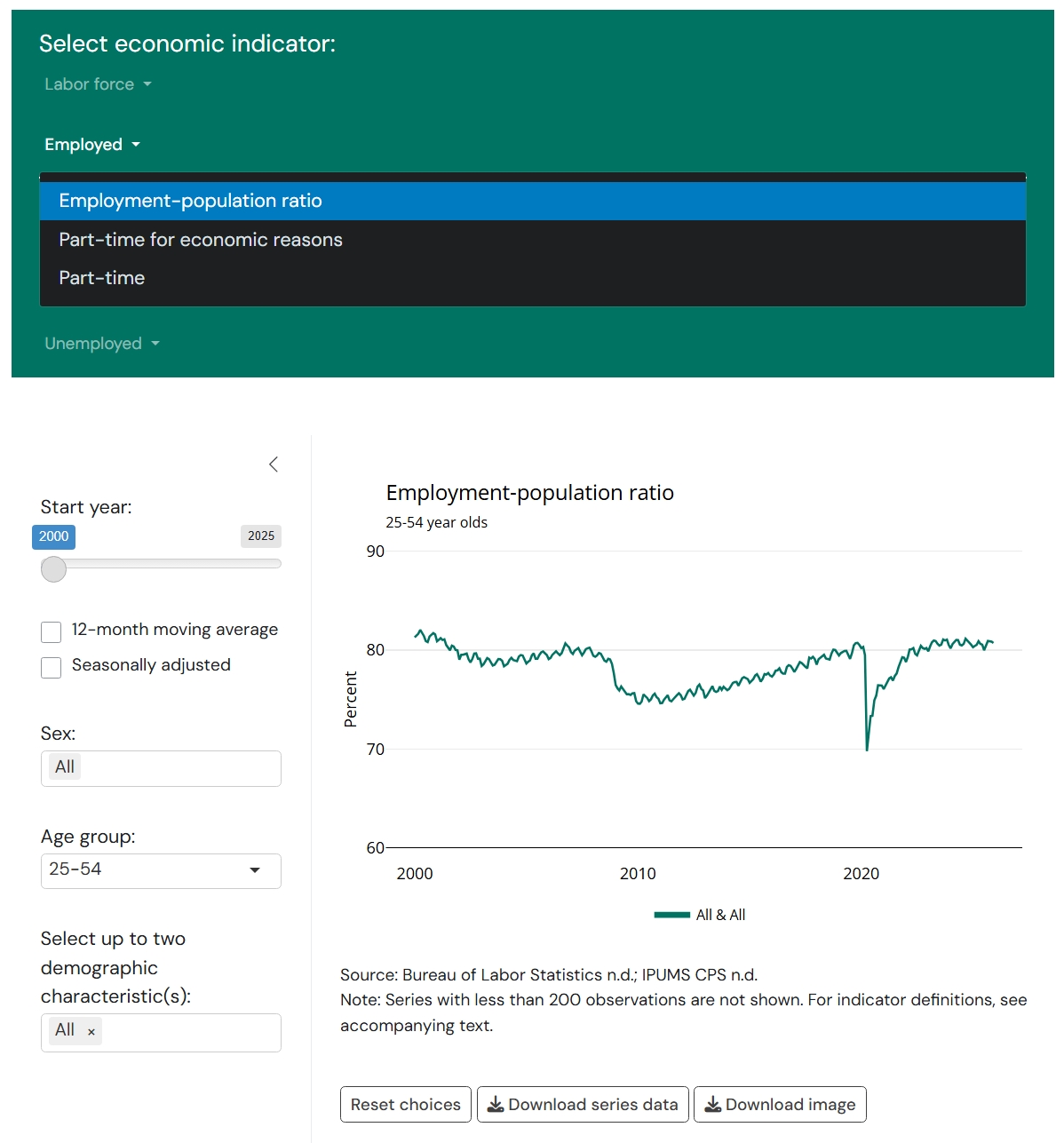
We use Bureau of Labor Statistics (BLS) definitions for the labor market indicators; details can be found here.
Labor force participation
- Labor force participation rate: The number of people in the labor force—employed or actively seeking work, i.e. unemployed—as a share of the population.
Employment
- Employment-population ratio: The number of people who are employed as a share of the population.
- Part-time: The number of people who usually work between 1 and 34 hours per week as a share of the employed population.
- Part-time for economic reasons: The number of people who are involuntarily working part-time as a percentage of the employed population.
- To be classified as working involuntarily part-time requires someone to be available and willing to work full-time but working part-time because of slack work; unfavorable business conditions; inability to find full-time work; or seasonal declines in demand.
Unemployment
- Unemployment rate: The number of people who are unemployed as a share of the labor force.
- U-5 rate: The number of people who are unemployed or marginally attached to the workforce as a share of the labor force plus the number of people who are marginally attached to the workforce.
- Long-term unemployment rate: The number of people who have been unemployed for 27 consecutive weeks or more as a share of the labor force.
Step 2: Select demographic characteristics
Sex, age, and other demographics
If no demographics are selected, users will see the employment statistics for the 16+ non-institutionalized civilian population.
Users can select to view employment indicators for sex (“male,” “female,” and “all”) and can choose among a series of disaggregated age groups. The age groups one may select include ages 16–24 (youth), 25–54 (prime-age), 55–64, 18–64, and 65+. Youth and prime-age can be further separated out into 16–19, 19–24, 25–34, 35–44, and 45–54. Users may view multiple sex groups at once, but only one age group at a time.
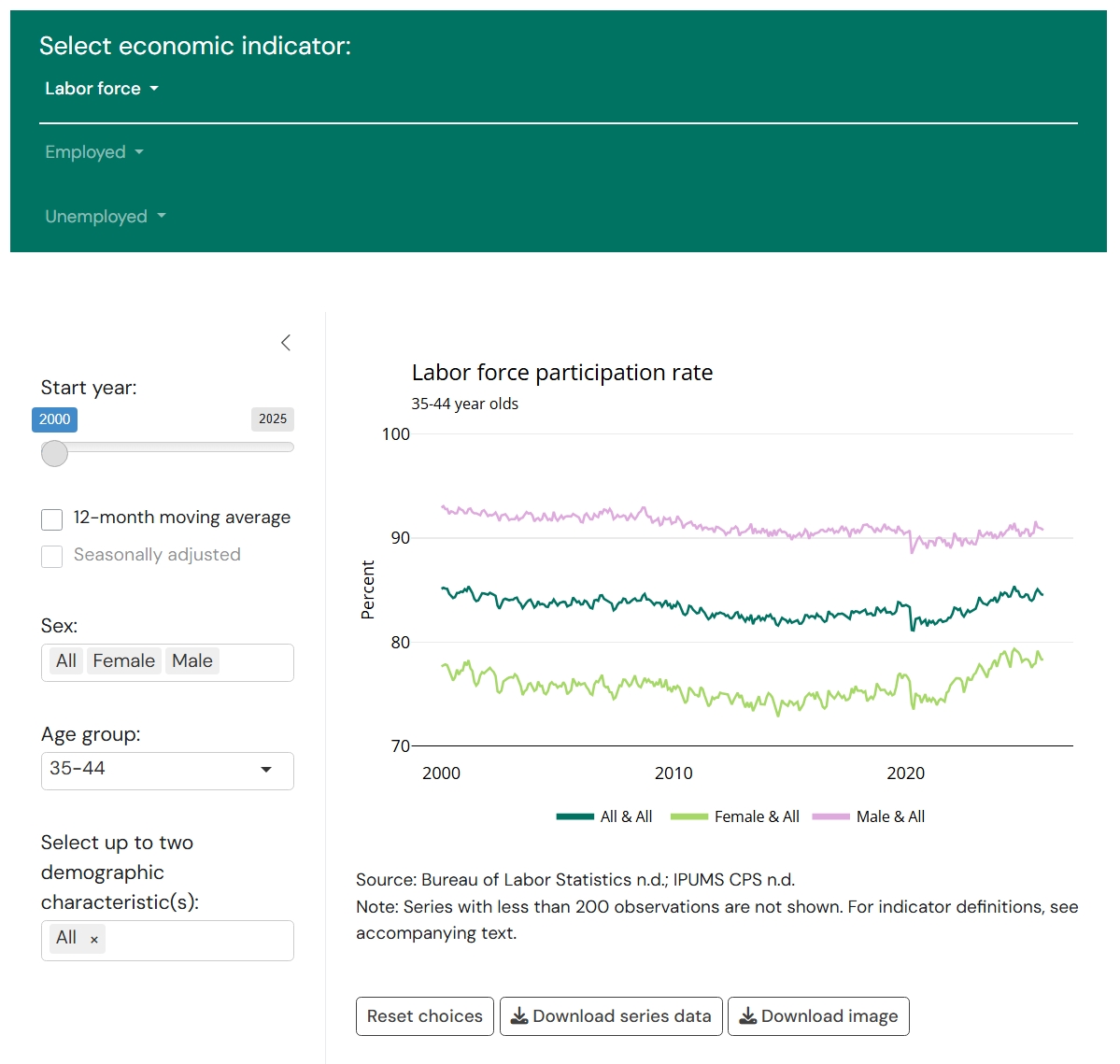
After selecting sex and age, users can select up to two additional demographic characteristics:
- Race and ethnicity: Black, Hispanic, white, or other.
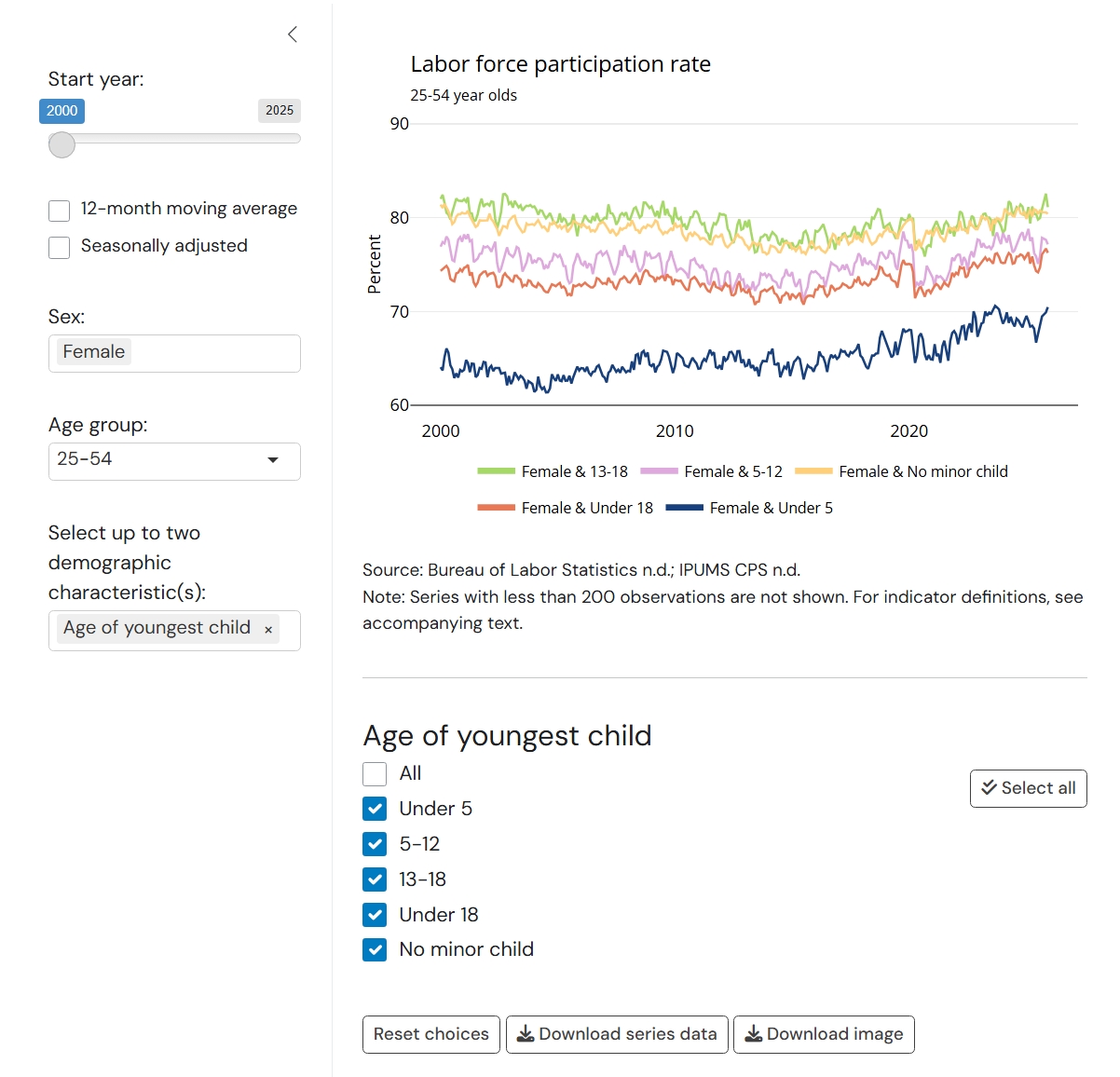
- Age of youngest child: under 5, 5–12, 13–8, or no minor child.
- Educational attainment: high school degree or less, some college, or bachelor’s or higher.
- Nativity status: native-born or foreign-born.
- Disability status: does not have a disability or has a disability.
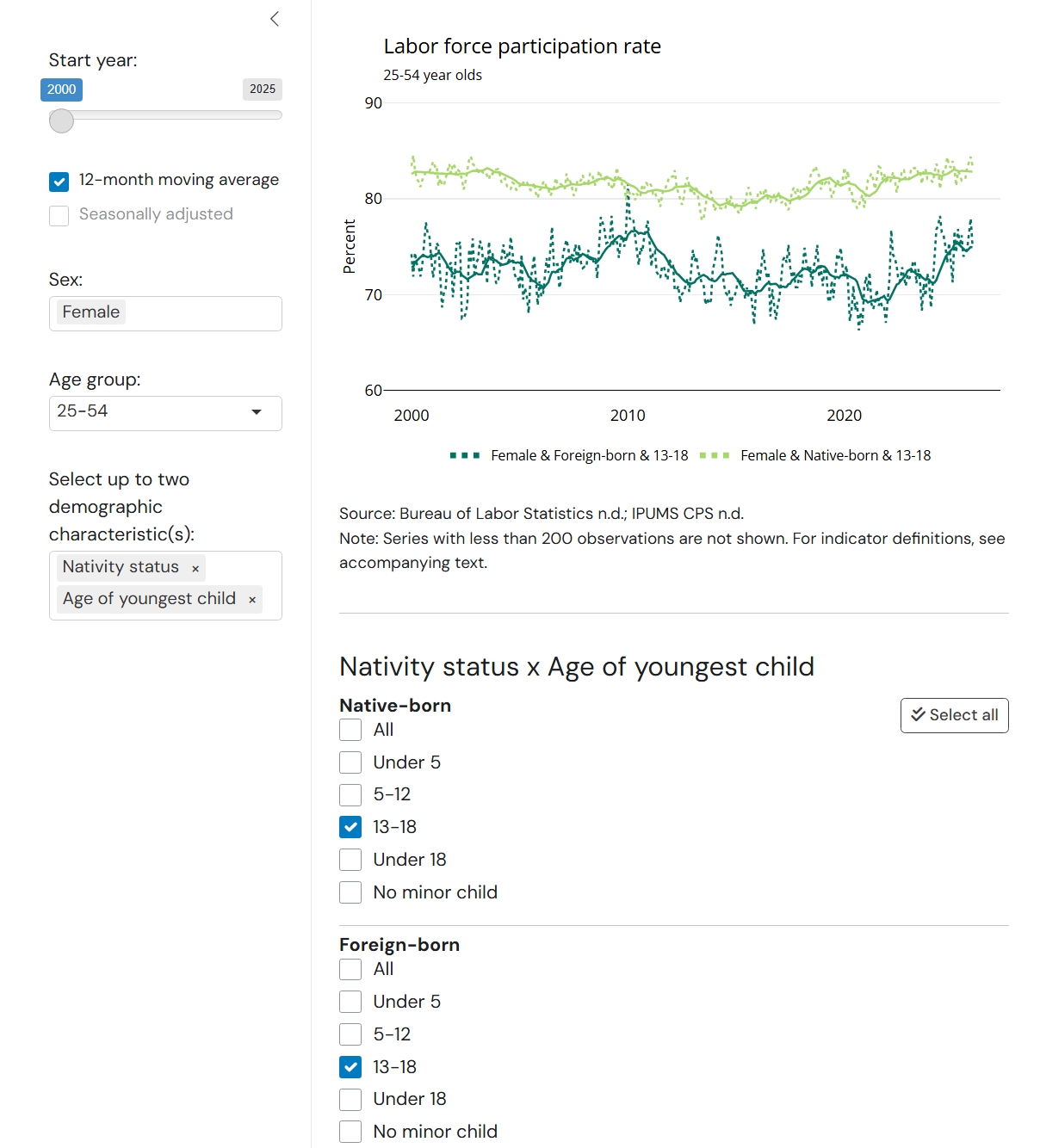
Once selected, the data interactive will show a secondary menu below the chart that allows users to select or unselect which series to display. The screenshot below shows “Age of youngest child” as an example.
After selecting sex and age, selecting two demographic characteristics produces cross-tabulated statistics for the series of those demographics among the age-sex group. The order in which a user selects the two demographic characteristics determines the structure of the secondary menu. For example, selecting “Age of youngest child” and “Nativity status” will nest the series selectors for “Nativity status” within each level of “Age of youngest child.”
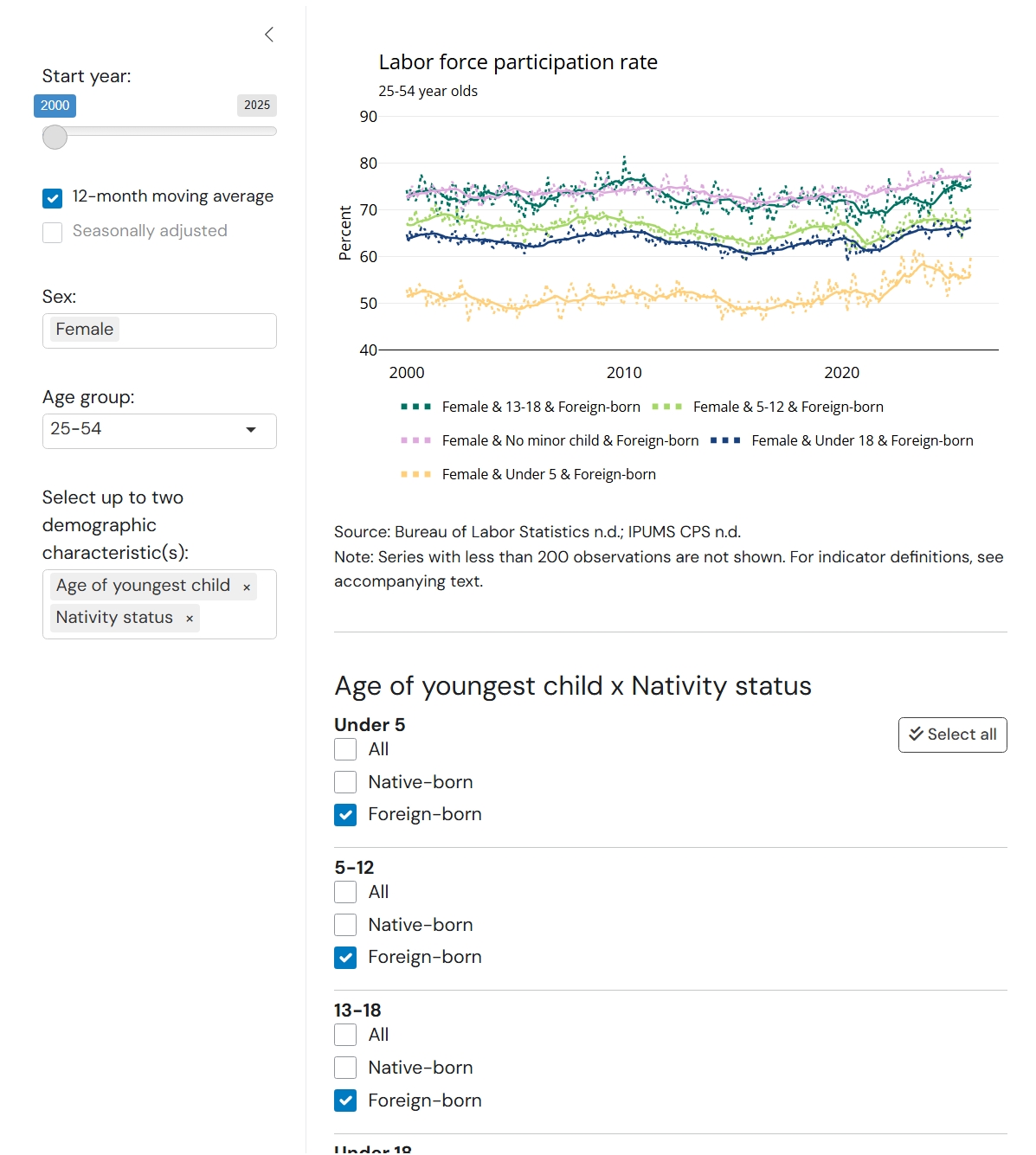
Flipping the order of the same indicators will nest the series of “Age of youngest child” within the levels of “Nativity status.” In addition to the real series (e.g. “Under 5,” “5–12,” etc.), users can select “All” for the second demographic to see aggregates by the first demographic. The screenshot below compares the labor force participation rate of all native-born women and native-born women with a child under 5 years old to their foreign-born counterparts.
Step 3: Adjust and export figures and data
Users can further customize the display of the selected labor market indicator by adjusting the time range (changing the start date) or selecting seasonal adjustment or a 12-month moving average to smooth series. Solid lines represent the smoothed series, and dotted lines represent the underlying monthly data, which will always be displayed. Seasonal adjustment is performed using the Census Bureau’s X-13 ARIMA model and is available for the prime-age sex-age groups as wholes or when disaggregated by only one additional demographic. Users may not select both seasonal adjustment and the moving average.
Users can export the data or image with the download buttons at the bottom of the main display. Data exports are limited to the currently filtered series. The reset button will reset all selections to the default.
Authors


Related Content



The Brookings Institution is committed to quality, independence, and impact.
We are supported by a diverse array of funders. In line with our values and policies, each Brookings publication represents the sole views of its author(s).